ServiceNow - Workflow
ServiceNow approached us to create a hover interaction using SVG animation. The interaction sits in the top-left corner of the page, functioning as both the logo and a direct link to the homepage.
00
problem
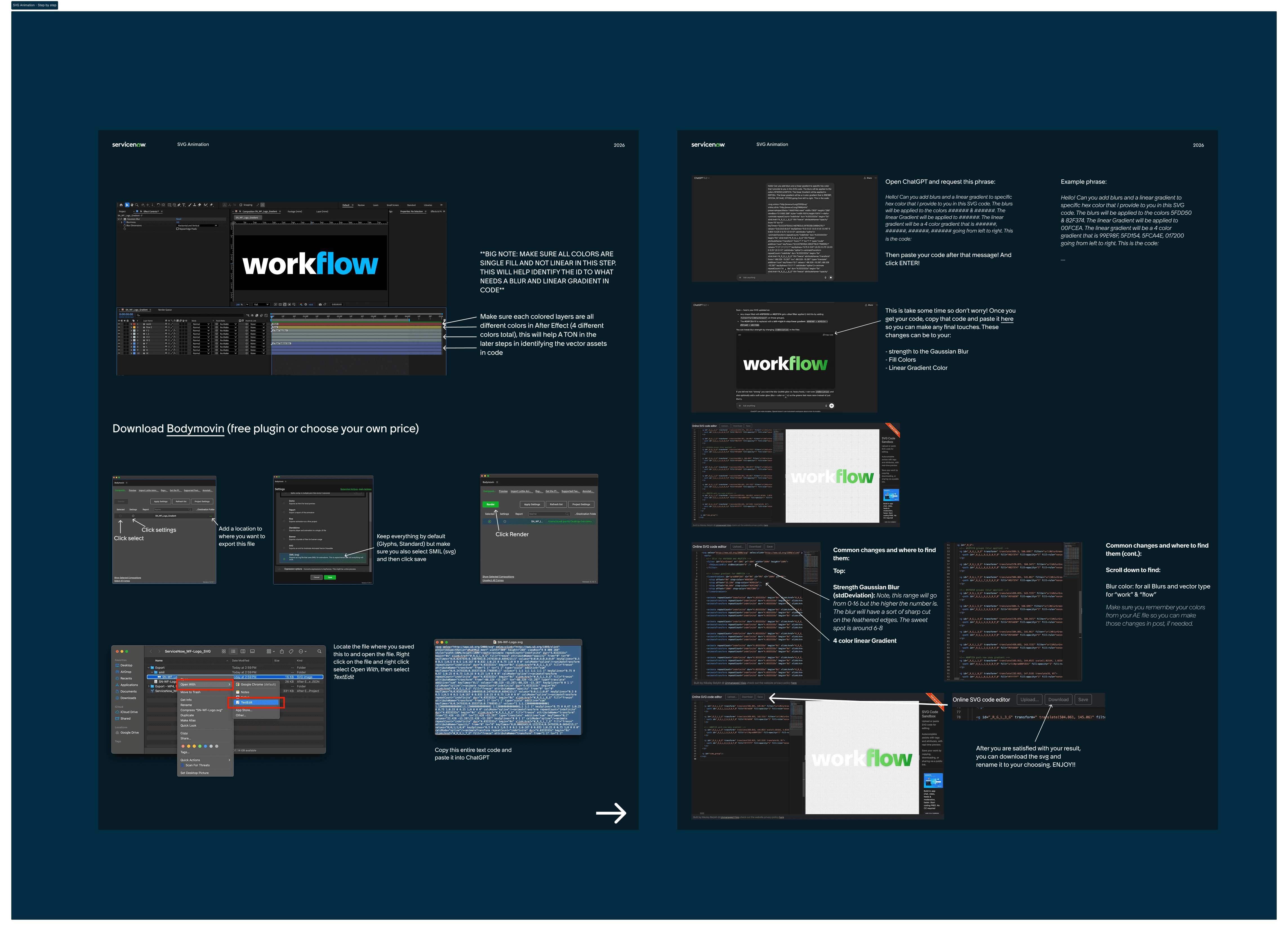
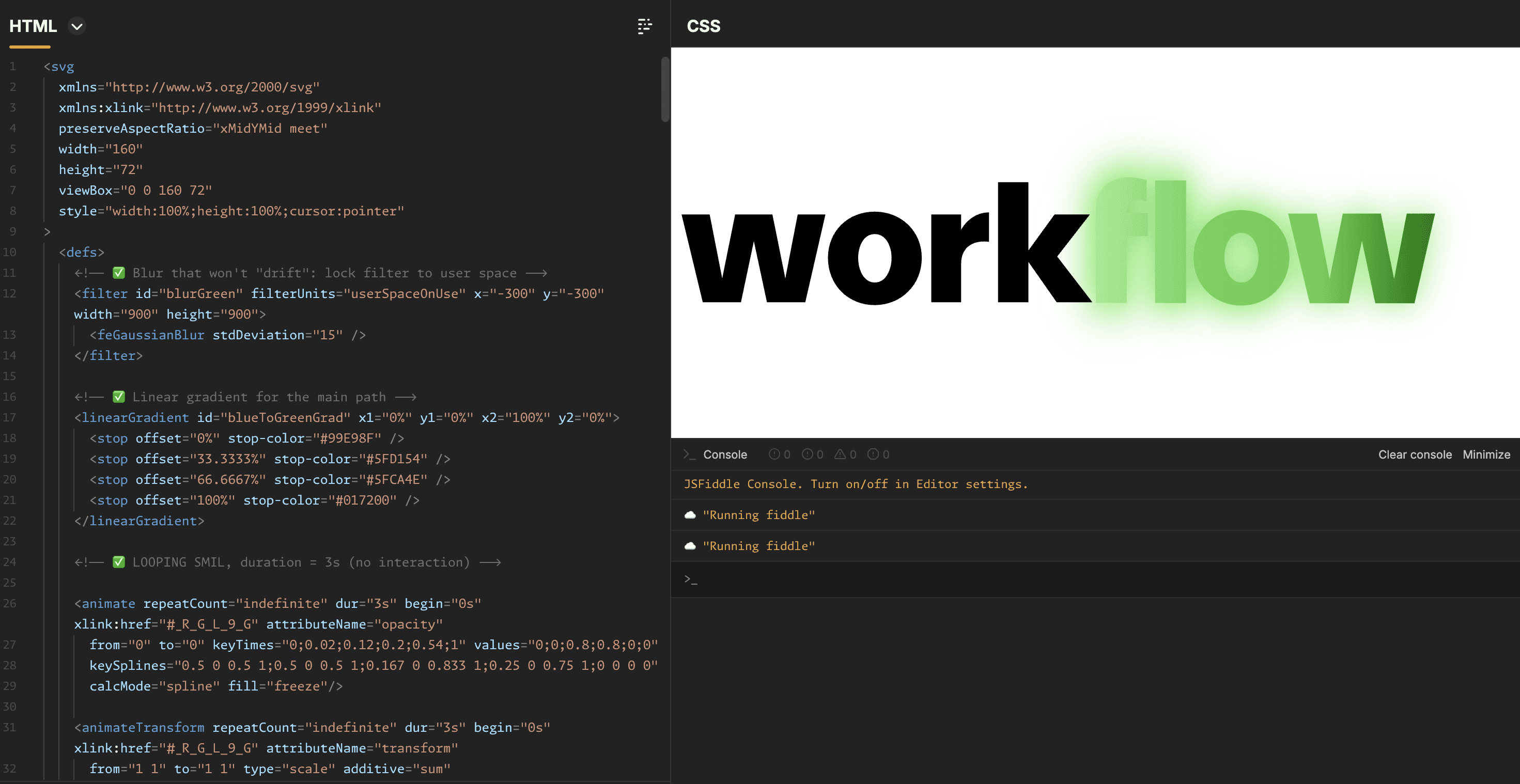
The animation was designed as a hover interaction for the ServiceNow logo on their Workflow webpage. The original motion design included glow effects; however, SVG animations do not support glow effects well. Because of this limitation, the glow treatment from the original animation could not be directly exported into SVG. Additionally, when exporting through Bodymovin as an SVG (SMIL), further complications appeared. The animation used both a linear gradient and Gaussian blur, which Bodymovin could not properly interpret or export.
solution
To recreate the glow effect, I rebuilt the motion in After Effects, using a Gaussian blur combined with scale and opacity animation to simulate the original glow. During the export process, I noticed that each vector element in the SVG was assigned a specific ID and hex value. To make these elements easier to identify later, I separated the vectors into four distinct colors (shown in the diagram). This allowed me to quickly locate the corresponding elements within the SVG code. After identifying the correct IDs and hex values, I manually applied the SVG Gaussian blur and linear gradient effects directly in the code. I used AI (ChatGPT) to help modify specific color values and apply the four-color gradient and blur where needed. Finally, I used an online SVG editor to preview, adjust, and fine-tune the gradient colors and blur intensity. Once everything matched the intended animation, I exported the final SVG file.
year
2026
tools
AE, SVG, HTML, and AI codex
category
Product (UX/UI)